The border theme by rnd195 is based on the default Marp theme but contains some notable changes. Each slide has a dark-gray border and also a white-to-gray linear gradient as its background. As the main font, the Inter font family is used.
Screenshots


Custom classes and keywords
<!-- _class: tinytext -->
- Makes most text on the slide much smaller.
- Might be useful for references.

- By default, images are left-aligned.
- The
centerkeywords centers the image.
NoteMarkdown template
---
marp: true
paginate: true
theme: border
size: 4:3
header: This is a header
footer: This is a footer
title: Testing MD file
---
# Title of the presentation
Author's name
University of XYZ
2023-05-13
---
# Text
**Lorem ipsum** dolor sit amet, *consectetur adipiscing* elit. Nunc eu ante ~~sit amet~~ erat suscipit <mark>consectetur</mark>. Praesent efficitur <u>sollicitudin</u> nisi.
> Vestibulum et ipsum et nibh egestas molestie sed vel orci.
---
# Heading 1
## Heading 2
### Heading 3
---
# Lists
1. This is the first step
2. Followed by the second step
- Point one
- Point two
- Sub-point two
---
# Image
An image of a flower in our garden.
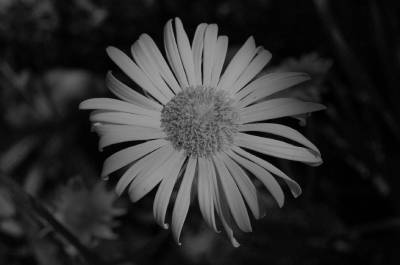
Not centered by default. Writing `center` in the alt text aligns the image, i.e. ``.
---
# Code
Inline code: `print("Hello")`
Block of code:
```r
for (i in 1:100) {
print(i)
}
```
---
# Math
$$
f(x) = \frac{1}{\sigma \sqrt{2\pi}} e^{-0.5 \left( \frac{x-\mu}{\sigma} \right)^2}
$$
---
# Table
| Customer ID | Attribute X | Attribute Y |
| ----------- | ----------- | ----------- |
| 101 | 3 | 0.1 |
| 102 | 4 | 0.1 |
| 103 | 2 | 0.3 |
---
<!-- _class: tinytext --->
# Tinytext class
Use `<!-- _class: tinytext --->` to make the text on the slide tiny. Might be useful for references at the end of the presentation.Privacy notice
Please, be aware that by using this CSS theme you import fonts from the Google Fonts service. Refer to their Privacy FAQ for more information about using their service.
License
This theme is licensed under the MIT License.
